
Author: Anthony Arblaster
-

Focus Point v1.0.1
Version 1 of focus point is available for download from the app store. The app features the starting features, letting users record focus notes and create photos that have overlay of show and channel details. The app also store photos and focus notes in iCloud documents so that they can be shared and reused with…
-

MigraineBot v2.1.0
New version new intents and siri!! New and fancy and made for the future. Find out more about the shortcuts on this page.
-
MigraineBot v2.0.3
This release is focused on improving code efficiency and squashing bugs. Hopefully it will make the app more reliable for us all. Thanks for using the app and I hope it continues to help.
-

TextExpander: UK Theatres
I often find that I have to repeatedly type out the names of theatres and venues here in the UK. A process that’s easy if a venue has a one word name. But some venues like Bristol Hippodrome or Yvonne Arnaud Theatre or Theatre Royal Bath are fractionally more laborious. As a result I made…
-
MigraineBot v2.0.2
MigraineBot version 2.0.2 is now available, with bug fixes. All users should upgrade ASAP. In version 2.0.0 a bug was introduced that prevented users from being able to edit running attacks with accurate information. It was largely because of refactoring of the logic displaying the current migraine on the Today screen. I had managed to…
-
MigraineBot v2.0.1
MigraineBot v2.0.1 is out with some minor updates and improvements. The monthly calendar has had a bit of an update, along with the Today screen. Hopefully these changes will mean that your migraine diary is easy to update.
-
MigraineBot v2.0.0
MigraineBot has been updated to version 2.0.0. Download on the iOS App Store now.
-
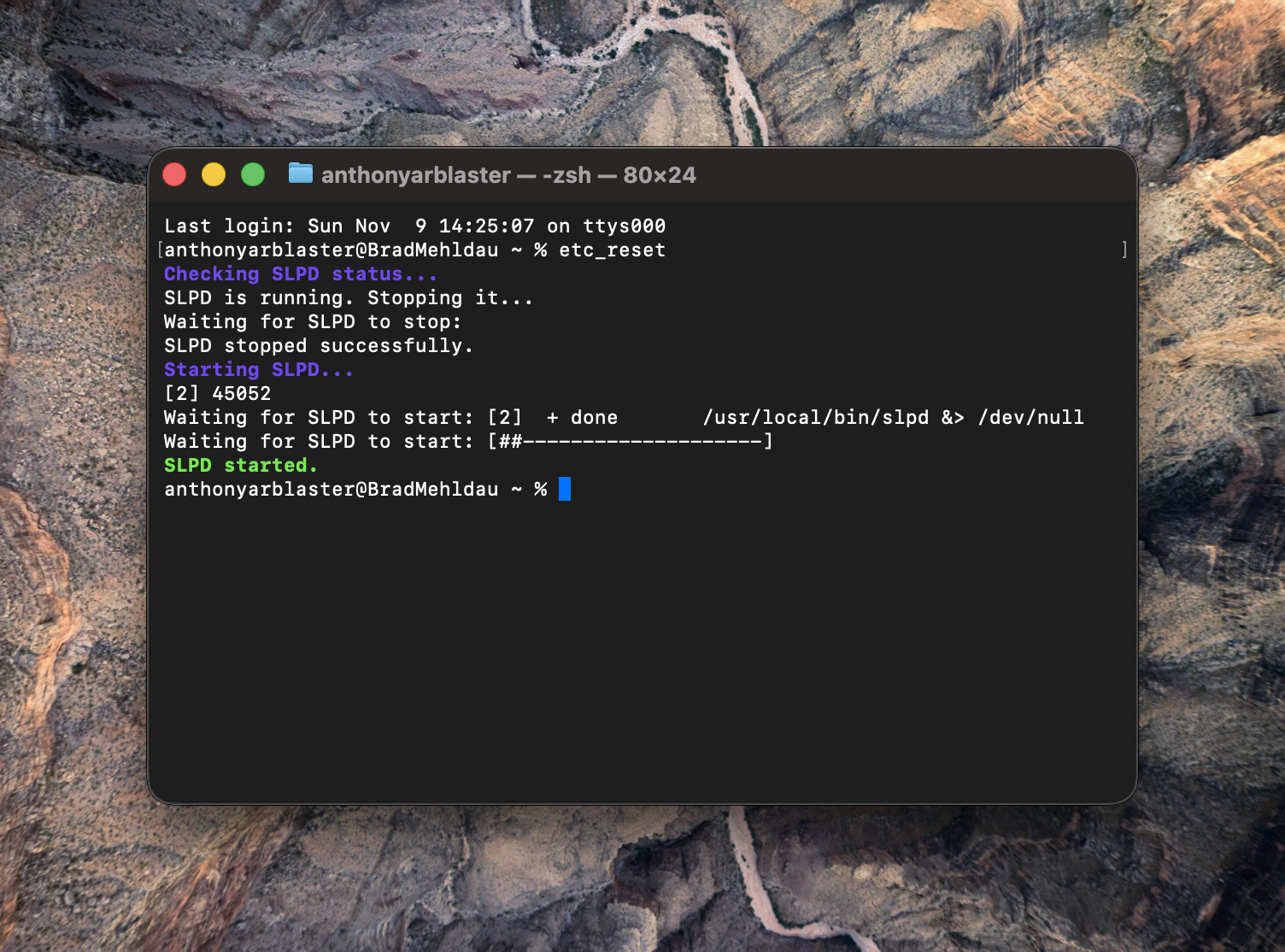
ETC Reset
ETC Concert doesn’t find Net3 devices sometimes. Using Terminal you can stop and start services manually, but who has time for that? So I wrote a zsh script to do it easily. If you don’t feel comfortable with the Terminal, I have wrapped it in a little app instead.
-

Karabiner Elements for Adobe Digital Editions
I have updated my custom scripts for Karabiner Elements, which I use for creating a HyperKey from my Caps Lock button. I also use Karabiner to manage the F1-12 keys in specialist apps, which you can read about here. I have added a new script to deal with the worst app for reading DRM books,…